
How to Choose a VPS 2026: Four Questions Before You Buy

Key takeaways
- There is no universal best VPS—shortlist by use case, who runs the server, budget, and traffic.
- Managed cloud (for example Cloudways Flexible) sits between premium per-site WordPress hosts and raw DIY KVM.
- Budget DIY paths (RackNerd, Contabo, Vultr, DigitalOcean) win on $/RAM only if you will run the OS.
- Use the interactive choose tool for a shortlist; this guide is the same decision in prose.
Hosts in this guide
- Cloudways Managed cloud — solid middle path for agencies and growing WP/Woo Flexible from $14/mo Visit site
- Kinsta Premium managed WordPress Single $35/mo Visit site
- Vultr DIY cloud IaaS Regular 2 vCPU / 4 GB $20/mo Visit site
- RackNerd Budget unmanaged KVM KVM 4 GB $24.59/mo, Specials 4 GB $59.99/yr Visit site




A speed chart will not tell you who patches the OS at 2 a.m., or what year two costs. Name the workload, who runs the server, the budget you will actually pay, and the traffic pattern. The How to choose a VPS tool asks the same four questions.
| Situation | I’d lean | Skip if |
|---|---|---|
| Side project / learning | Budget unmanaged — RackNerd catalog ~$24.59/mo 4 GB or cheap IaaS | Paying Kinsta-class ~$35/mo for a lab |
| Agency, many PHP apps | Managed cloud — Cloudways Flexible ~$28/mo DO small | One quiet site forcing a separate premium plan per install |
| Woo / high concurrency | Managed WP or Flexible with headroom (~$28–$54 class) | Ignoring backups, staging, and a spike plan |
| High-value single WP site | Premium managed WordPress — Kinsta ~$35/$30 entry | Many low-traffic sites each on their own premium plan |
| DIY custom stack | Vultr from ~$2.50 / DigitalOcean from ~$4 | Hands-off WordPress polish on raw Droplets |
Four things to decide
| Dimension | What you’re deciding | Typical miss |
|---|---|---|
| Use case | Personal, agency, Woo, WordPress, DIY | Buying “best VPS” for a store when you needed managed WordPress tooling |
| Day-to-day | Managed / DIY / either | Calling raw Vultr “managed WordPress” |
| Budget | Lowest cost / balanced / convenience | Treating intro prepaid as the forever price |
| Workload | Low / growth / high traffic | Putting spike-heavy Woo on the cheapest yearly KVM |
Agency packing with a Laravel leftover on the same managed box: Laravel hosting. Woo vs Magento vs AWS storefront paths: ecommerce cloud hosting. Self-hosted n8n sizing: best VPS for n8n.
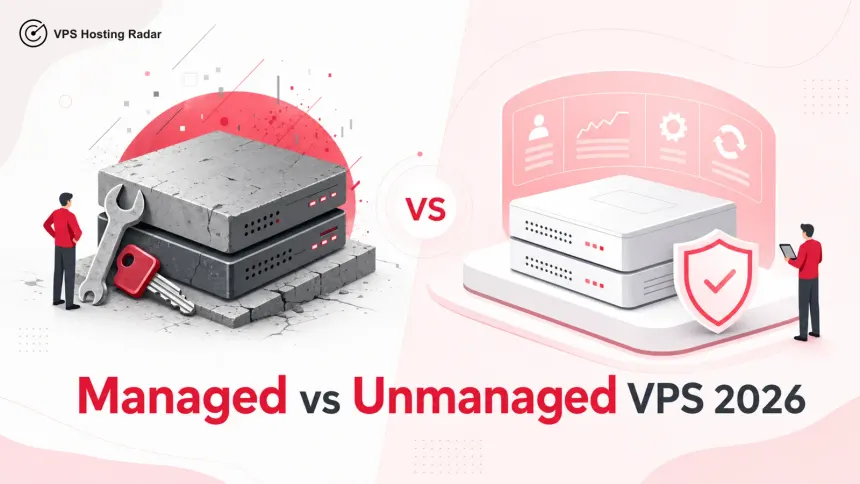
Managed vs unmanaged in one line: unmanaged is VM + network; you own the OS. Managed cloud (for example Cloudways Flexible) sizes a cloud server with a panel and support layer. Premium managed WordPress (Kinsta, WP Engine, Rocket.net) is a third path—you’re billed per site or visits, not the same product as Flexible or RackNerd KVM. The full managed vs unmanaged split is managed vs unmanaged VPS. VM slice vs shared vs dedicated is what is VPS hosting. Own-kernel vs container-style “VPS” labels is KVM VPS.
For managed shortlists by category, see best managed VPS hosting and best WooCommerce hosting. Agency workflow notes live in WordPress hosting for agencies. WordPress on a sized VPS vs premium managed WP is WordPress VPS hosting. Shared or managed WP → a sized box is migrate WordPress to a VPS.
How I’d choose this week
I’d use the choose tool with my real use case and how hands-on I want to be, then open only the primary two vendor pricing pages—plus one alternative. I’d write down intro vs renewal (or hourly vs monthly) from the first-term vs renewal table and one wrong-when that would make me walk away.
Wrong when for this whole method: you already know you need a specific compliance stack or a contract your procurement team locked—then skip the quiz and go straight to that RFP.
Host types in the fifteen-host pool
Managed mid-range: Cloudways Flexible, SiteGround cloud, ScalaHosting, InMotion VPS—panel-managed without always jumping to premium WordPress plan prices.
Premium managed WordPress: Kinsta, WP Engine, Rocket.net, Liquid Web / heavier eCom—when tooling and support beat the lowest list price. Category definition is what is managed WordPress hosting. Liquid Web’s managed-VPS row vs Flexible is Liquid Web VPS.
Budget prepaid: Hostinger cloud/VPS—always check the renewal, not only the intro rate.
DIY IaaS: DigitalOcean, Vultr, Linode, Kamatera—you run the OS (or put Cloudways on top of DO/Vultr/Linode).
Budget unmanaged KVM: RackNerd, Contabo—promo and RAM value; never winners on “best managed WordPress” lists. Included network filter vs a paid DDoS add-on: DDoS-protected VPS.
FAQ
How do I choose a VPS host?
Match four dimensions: what you’re hosting, whether you want managed or DIY, how much you want to spend, and traffic. Then pick a shortlist with an explicit wrong-when—not a fake #1.
Managed VPS or unmanaged?
Unmanaged if you’ll administer the OS and want the lowest $/RAM. Managed cloud if you want VPS-class sizing without full sysadmin work. Premium managed WordPress is a third path.
Is cheaper always better?
Intro list prices favor DIY and prepaid shared/VPS. Total cost can flip when your hours, renewals, and downtime dominate.
Where’s the interactive shortlist?
Use the How to choose a VPS tool on this site—four questions, scored against fifteen hosts, answers stay in your browser.
Related posts


Last updated